QRuisine vs. MustHaveMenus: Mobile-First Menus vs. Print Designs
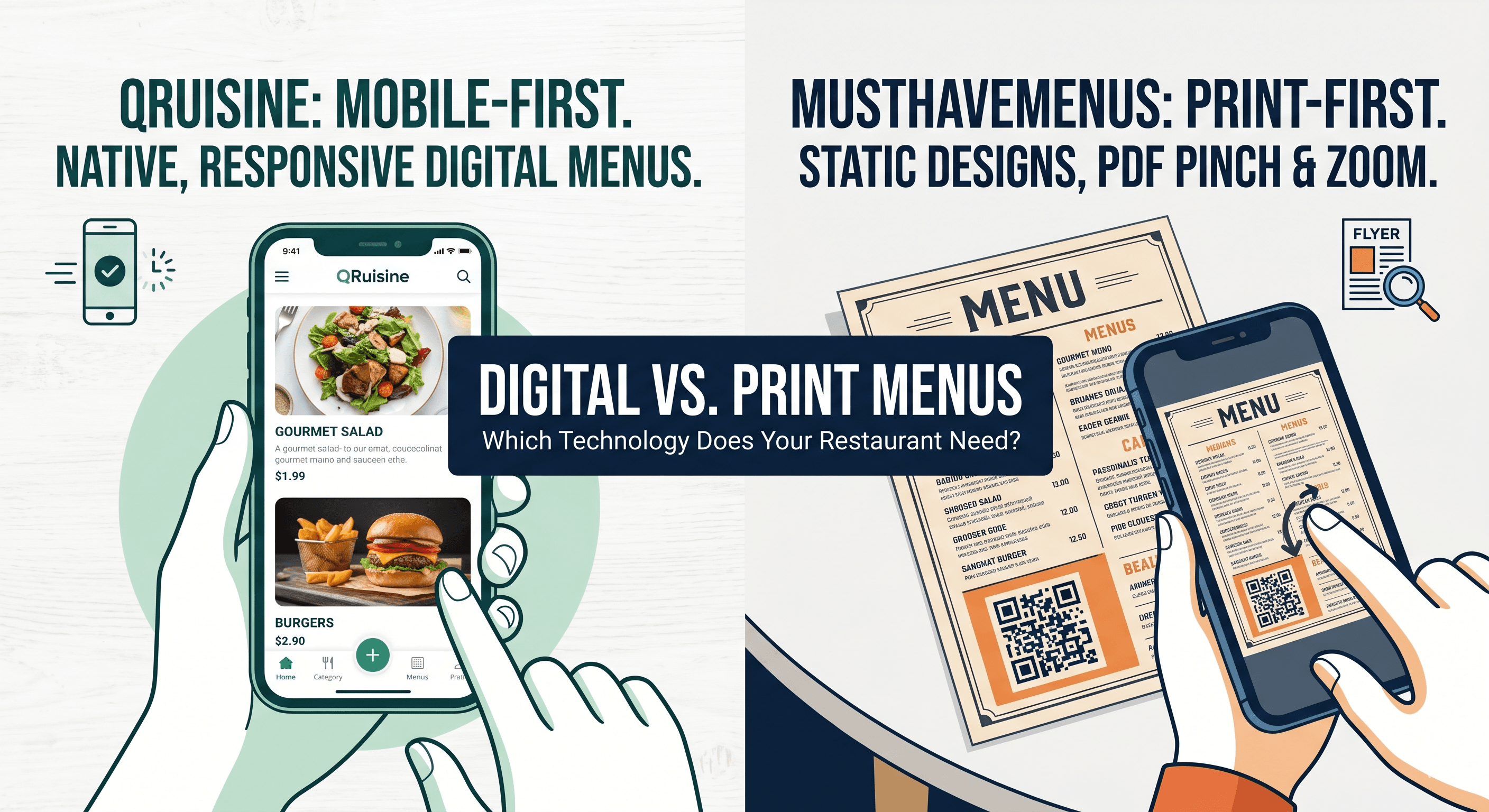
When restaurant owners decide to create a digital menu, they often turn to the tools they already know. For years, platforms like MustHaveMenus have been the undisputed champions of the restaurant industry—at least, when it comes to printed materials.
But as dining habits shift entirely to mobile devices in 2026, a massive divide has opened up between software designed for a physical piece of paper and software designed specifically for a 6-inch smartphone screen. Today, we compare QRuisine, a dedicated mobile-first builder, with MustHaveMenus, a comprehensive graphic design platform.
What is QRuisine?
QRuisine specializes in making digital menu presentation effortless and beautifully responsive. It provides restaurants with an intuitive platform to create, manage, and display native digital menus that adapt instantly to any device. The emphasis is on zero-bloat architecture and delivering a lightning-fast, one-handed scrolling experience for the seated diner. It is designed to do one thing perfectly: build a flawless mobile menu.
What is MustHaveMenus?
MustHaveMenus is a robust graphic design platform, similar to Canva, tailored specifically for the hospitality industry. It is built around an incredible library of beautiful, static templates designed for physical printing—such as table tents, flyers, business cards, and paper menus. While they do offer a QR code generator, it primarily functions as a way to link customers to digital versions (often PDFs or static images) of these print-focused designs.
Stop making your customers pinch-and-zoom.
Experience the difference of a native, responsive digital menu. Try our mobile-first editor today and see how fast your menu can be.
Build Your Free MenuKey Differences: QRuisine vs. MustHaveMenus
The core difference between these two platforms is whether you are building a canvas for a printer, or a database for a phone.
- The "PDF Trap" vs. True Mobile Responsiveness:
- QRuisine: Is built on a "mobile-first" web architecture. It does not output static images. Using a clean, "bento-grid" layout, QRuisine ensures that your categories, descriptions, and prices scale perfectly. There is no pinching, no zooming, just effortless scrolling.
- MustHaveMenus: Translating physical designs to a digital experience often results in a static image or a PDF. When a seated diner scans it, they are forced to pinch, zoom, and blindly scroll around a massive document just to read the appetizer list.
- Managing Daily Updates:
- QRuisine: Because it is a database-driven SaaS platform, updates happen instantly. If an item sells out mid-shift, you simply toggle a switch in your dashboard. The change is pushed live immediately without ever touching a design canvas.
- MustHaveMenus: Changing a single price often means opening up a complex graphic editor, adjusting text boxes, saving the design, exporting a new file, and ensuring the QR code points to the updated version. It is a multi-step graphic design process.
- Pricing:
- QRuisine: Provides highly affordable pricing for independent cafes. The Free plan is generous, offering a custom-branded menu editor and real-time updates. The Pro plan is just ₹349 (~$4) per month, unlocking unlimited menus, high-res image uploads, and advanced features at a fraction of the industry standard cost.
- MustHaveMenus: Because you are paying for a massive library of graphic design assets and templates, their premium plans are significantly higher, typically starting around $25 to $30 per month to unlock their digital sharing and premium template features.
Summary Comparison: QRuisine vs. MustHaveMenus
| Feature | QRuisine | MustHaveMenus |
|---|---|---|
| Primary Goal | Flawless Mobile Menu Presentation | Comprehensive Print & Graphic Design |
| End-User Experience | Native, responsive mobile scrolling | Often requires pinch-and-zoom on PDFs |
| Updating Menus | Instant database toggle (Real-time) | Re-editing and re-exporting graphic files |
| Best For | Cafes wanting a fast, modern digital dining experience | Restaurants needing physical flyers, table tents, and paper menus |
| Pricing | Free plan available, Pro plan at ₹349 (~$4)/mo | Starts around $25 - $30/mo |
Conclusion
The decision between QRuisine and MustHaveMenus comes down to exactly what type of menu you are trying to create.
If you are primarily focused on printing physical menus, table tents, flyers, and direct mailers, MustHaveMenus is a phenomenal graphic design suite. It is the industry standard for physical restaurant marketing.
However, if your primary goal is to provide a flawless, modern digital dining experience, QRuisine is the superior choice. Customers expect native, responsive web apps, not static PDFs. QRuisine's zero-bloat, mobile-first platform gives you a beautiful, easy-to-read menu that you can update in real-time, all at a vastly more affordable price point.
Design for screens, not printers.
Create a stunning, dynamic digital menu that your customers will actually love using. No graphic design skills or zooming required.
Get Started for FreeEditor's Note: This guide was drafted with AI assistance to help you grow your business. Features and pricing may change — always check official websites for the latest details.